
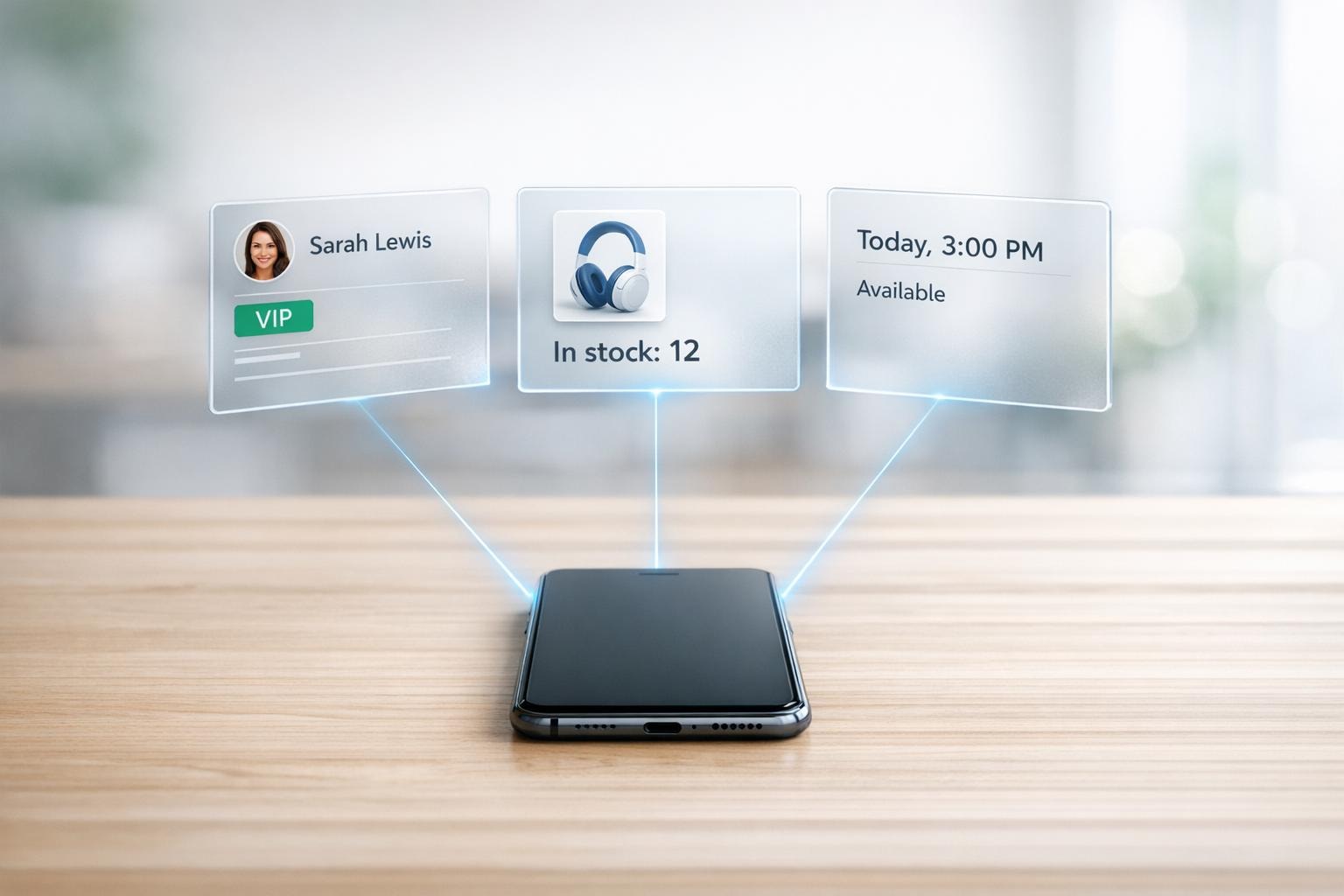
Real-Time Data Access with AI Phone Agents
Give your AI phone agents instant access to customer data and cut call handling time by 80% while reducing operational costs by 90%.

Written by
Adam Stewart
Key Points
- Cut call handling time by 80% with instant data access
- Handle 40% more calls without hiring additional staff
- Boost first-call resolution rates by 40% with real-time info
- Reduce customer service errors by up to 70%
AI phone agents with real-time data access are transforming customer service for small and medium-sized businesses (SMBs). Here's how:
- Faster Responses: AI agents reduce call handling time by up to 80% and increase response speed by 5x.
- Cost Savings: Businesses can cut operational costs by as much as 90% according to a cost-benefit analysis of AI phone agents.
- Customer Satisfaction: Personalized interactions using live data improve satisfaction scores by 20–30%.
- 24/7 Availability: AI agents work around the clock, handling tasks like scheduling, order updates, and inventory checks instantly.
For example, platforms like Dialzara integrate with over 5,000 business tools, enabling AI agents to manage complex tasks like checking calendars, confirming stock, or updating orders - all in seconds.
Key Benefits for SMBs:
- Efficiency: Handle 40% more inquiries without adding staff.
- Savings: Save over $50,000 annually by replacing multiple receptionists with a single AI agent.
- Accuracy: Real-time data cuts errors by up to 70% and boosts first-call resolution rates by 40%.
By connecting to live systems like CRMs, inventory databases, and scheduling tools, AI agents deliver instant, accurate answers, enhancing productivity and customer experience.
Security and Scalability
Setting up these systems requires secure integrations (e.g., API connections, encryption, and role-based access controls) and regular monitoring to ensure reliability. Platforms like Dialzara make this process quick and easy, allowing SMBs to scale their operations without compromising service quality.
With real-time data access, AI phone agents are reshaping how SMBs handle customer interactions - faster, cheaper, and more efficiently than ever before.
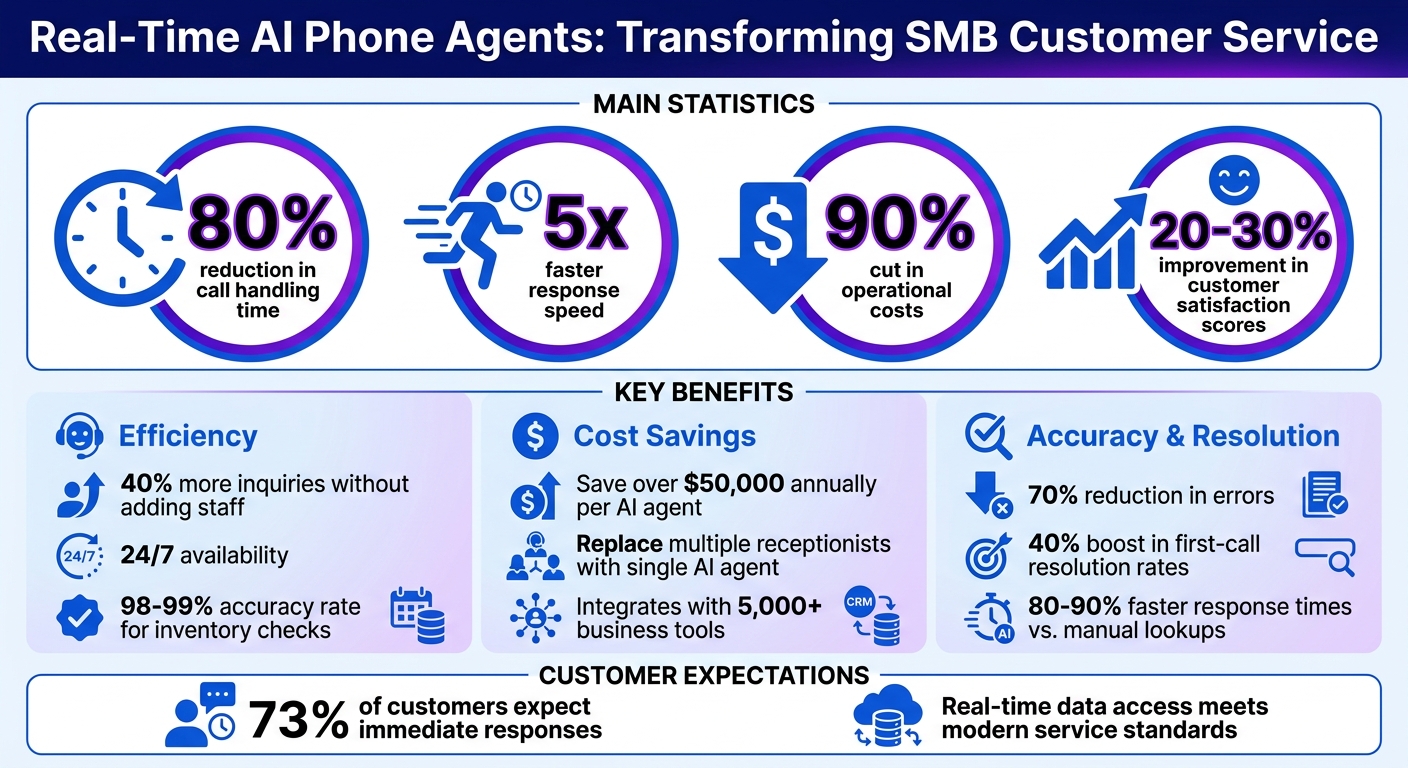
AI Phone Agents Impact on SMB Customer Service: Key Statistics
What is Real-Time Data and Why It Matters
Defining Real-Time Data
Real-time data refers to information that is processed and delivered instantly, allowing immediate action during live interactions. For example, when a customer asks about their order status, an AI phone agent can access current tracking details directly from the shipping system instead of relying on outdated reports. This approach contrasts with batch processing, where updates happen at scheduled intervals - like hourly or at the end of the day - often leading to outdated or mismatched information. By using continuous data streams from sources like connecting to your CRM, inventory databases, or calendar APIs, AI agents can access up-to-the-minute details, such as a customer’s purchase history or live product availability, during the conversation itself. This real-time capability is especially important for SMBs aiming to deliver fast and flexible customer service.
How Real-Time Data Helps SMBs
The speed of real-time data has a direct and meaningful impact on SMB operations. Instant access to information can cut response times by 80–90%, eliminating the delays caused by manual lookups. For instance, an agent can quickly confirm, "We have 5 units of Product X available at $29.99", by pulling data straight from the inventory system. This kind of automated, real-time verification significantly reduces errors - by as much as 70% - and boosts first-call resolution rates by 40%. It also prevents common issues like double-booked appointments or incorrect shipping updates. With this level of efficiency, businesses can handle twice the number of calls daily without increasing staff.
Accuracy and speed are critical, especially when 73% of customers expect immediate responses. Real-time data empowers SMBs to meet these expectations, ensuring smoother, more reliable customer interactions while enhancing overall productivity.
sbb-itb-ef0082b
How to Set Up AI Phone Agents for Real-Time Data Access
Getting Your Data Systems Ready
Start by organizing your data systems. List each platform you use - like your CRM, inventory database, or scheduling tool - along with its key fields, access methods, and how often the data updates. Focus on the systems that are most relevant to your calls. For instance, if most inquiries involve order status, make sure your CRM is optimized for quick access.
Data accuracy is a must. Use your CRM’s built-in audit tools or custom scripts to find issues like duplicate entries, missing phone numbers, or mismatched customer details. Set up validation rules to ensure critical fields, like email addresses, are always filled in. This can help you avoid the kind of outdated information that leads to nearly 30% of customer dissatisfaction during live calls.
When it comes to security, you can’t be too careful. Limit your AI agent’s access using role-based access control (RBAC), giving it read-only permissions for sensitive data. Protect data in transit with HTTPS/TLS 1.3 and encrypt stored data with AES-256. Rotate API keys regularly - every 24 hours works well - and consider starting with OAuth 2.0 for secure, token-based authentication. This approach not only safeguards your data but also ensures compliance with GDPR and CCPA regulations. Once your data systems are organized and secure, you’re ready to link them to your AI agent.
Connecting AI Phone Agents to Your Data Sources
To connect your AI agent to live data, use API integrations, direct database queries, or event-driven webhooks. According to Gartner’s 2024 report on conversational AI, API integrations can cut data access delays by 85% compared to manual queries [1].
Platforms like Dialzara simplify this process with pre-built connectors for over 5,000 applications, including Salesforce, HubSpot, Google Workspace, and Calendly. Using Dialzara’s dashboard, you can select the apps you want to integrate, authenticate them via OAuth, and map data fields - like linking customer IDs to voice responses. Once set up, the system automatically handles real-time queries, such as checking appointment slots or tracking orders, and delivers responses within seconds. This no-code solution allows you to complete the integration in just minutes, saving both time and development costs.
Testing and Improving Your Setup
After connecting your AI agent to live data, rigorous testing ensures it performs reliably during calls. Simulate common scenarios, like order status checks, to confirm a success rate of at least 98% and response times under three seconds. Tools like Postman can help test API endpoints, while mock interactions can reveal how the agent handles tricky situations, such as vague questions or temporary data issues.
Once testing is complete, fine-tune your AI agent’s logic to avoid problems that can lead to failure rates of 20–40% in poorly optimized setups. For example, use Dialzara’s training interface to create business rules like: “If inventory is below five units, recommend alternatives,” or “For orders placed within the last 24 hours, check processing status first.” Run A/B tests to refine response phrasing and review failure logs to spot recurring issues. By regularly updating your agent’s logic and cleaning up your data, you can boost reliability to over 90%, ensuring your agent can handle larger call volumes without compromising service quality.
Common Uses for Real-Time Data in AI Phone Agents
When connected to live data, AI agents can turn time-consuming manual tasks into instant, automated solutions for small and medium-sized businesses.
Scheduling Appointments on the Fly
AI phone agents can seamlessly book appointments by accessing your scheduling tools. Whether it's Calendly, Google Calendar, or a practice management system, the agent can quickly check available slots and offer them to the caller. If a preferred time is already taken, the agent immediately suggests the next open slot. This eliminates the hassle of back-and-forth communication through voicemail or email. For businesses like dental practices, law firms, or salons, this feature works around the clock, updating calendars and sending confirmations in real time.
Checking and Updating Order Status
AI agents also shine when it comes to managing order inquiries. Customers no longer have to wait for someone to manually check their order details. Instead, the agent taps into your order management system - like Shopify, WooCommerce, or an ERP - and retrieves information such as tracking numbers, shipment dates, and delivery estimates instantly. If a customer needs to make changes, such as updating a delivery address or adding rush shipping, the agent can handle these updates during the call. This streamlined process has been shown to boost customer satisfaction by 30% [5].
Verifying Inventory and Product Availability
Inventory management becomes far more efficient with AI phone agents. When a customer asks about product availability, the agent can instantly check your inventory database. By connecting to systems like your ERP, warehouse management software, or e-commerce platform, the agent provides real-time stock updates. For example, if a customer inquires about a specific item - like a size 10 running shoe or a particular replacement part - the agent can confirm availability down to the exact number in stock.
AI agents perform inventory checks in milliseconds with an impressive 98–99% accuracy rate, far outpacing manual checks that are slower and prone to errors [2][3]. This speed is particularly valuable for businesses handling multiple calls at once or operating outside regular business hours.
| Feature | Manual Inventory Check | AI Phone Agent Check |
|---|---|---|
| Speed | Minutes | Milliseconds [5] |
| Accuracy | 80–85% | 98–99% [2][3] |
| Availability | Limited to business hours | 24/7 [4][5] |
| Data Source | Disconnected spreadsheets | Centralized ERP/WMS integration [4] |
| Scalability | Requires additional staff | Instantly scalable [4] |
AI agents can even handle more complex inventory scenarios. If an item is out of stock, the agent might suggest alternatives from your catalog or inform the customer when the product will be available again. Some systems can even automate reordering when stock levels dip below a preset threshold [4]. With Dialzara's ability to integrate with over 5,000 business applications, connecting your inventory systems is straightforward, allowing AI agents to provide instant, accurate stock updates whenever a customer calls.
Best Practices for Real-Time Data Access
After setting up your AI agent for real-time data access, it’s important to implement strategies that ensure security, scalability, and ongoing performance monitoring.
Protecting Data Security and Privacy
When your AI agent handles live data like customer details, orders, or schedules, keeping that information secure is critical. 73% of business leaders are concerned that generative AI could introduce new security risks [7]. These concerns are valid - contact center fraud cost businesses an estimated $12.5 billion in 2024, with deepfake fraud attempts skyrocketing by over 1,300%, rising from one attempt per month to seven per day [7].
To safeguard your system, use multi-layer encryption during data transit, storage, and processing [7]. Implement least-privilege enforcement, which limits your AI agent’s access to only the databases and APIs it needs. For instance, an agent tasked with booking appointments shouldn’t have access to financial records or inventory systems [6].
"Agents are granted broad access to APIs, databases and financial systems at deployment, and then left to operate with no continuous access reviews, no least-privilege enforcement and no visibility into behavioral drift." – Prasidh Srikanth, Palo Alto Networks [6]
For businesses managing sensitive data, enable real-time PII redaction to remove personally identifiable information during live interactions, ensuring it’s not stored unnecessarily [7]. Industries like healthcare, finance, and legal services should confirm compliance with standards such as HIPAA, GDPR, or SOC 2 Type II [7]. Tools like Dialzara support these requirements while integrating with thousands of business applications.
Secure the connection between your AI agent and systems like CRMs or databases by using webhook signature verification and IP allow-listing [7]. For added control, adopt a Bring Your Own Key (BYOK) approach, where you manage your API keys directly, reducing risks tied to third-party servers [8].
Once your system’s security is in place, it’s time to prepare for growth.
Planning for Business Growth
Your AI agent and data systems need to handle increasing demands as your business grows. Whether it’s seasonal spikes, marketing campaigns, or steady expansion, your infrastructure should keep up without disruptions.
From the start, design workflows that can scale. For example, even if you’re handling just 50 calls a day now, ensure your system can manage 200 or even 500 calls without requiring major adjustments. Premium AI voice solutions aim for 99.99% uptime, providing reliability during critical times [7]. This is especially important when your AI agent handles tasks like scheduling, order updates, or inventory checks that directly impact revenue.
Integrate human-in-the-loop (HITL) mechanisms to transfer calls seamlessly to human agents when the AI reaches its limits, balancing AI vs. human customer service for optimal support. Businesses using this hybrid model report 30-35% productivity gains while maintaining accuracy [7]. It’s an effective way to grow without compromising service quality.
Keep an eye on system capacity by tracking metrics like response times, concurrent call handling, and database query performance. If you notice slowdowns during peak periods, upgrade your infrastructure proactively to avoid affecting customer experience. Dialzara’s scalable solutions can help you handle higher volumes while reducing costs by up to 90% compared to traditional staffing models.
As your system expands, maintaining performance becomes just as important as scaling it.
Tracking Performance and Maintaining Systems
Monitoring your AI agent isn’t just about fixing issues - it’s about preventing them. Over time, your agent’s behavior may shift due to updates, new data sources, or changes in business processes. Regular reviews help ensure it continues to operate as intended.
Establish unified visibility across all AI interactions, such as prompts, API calls, and model outputs [6][9]. This centralized view helps identify unauthorized data access or "shadow AI" situations, where employees might use unapproved tools that could expose sensitive data [6][9].
Conduct regular access reviews to confirm your AI agent only has the permissions it needs [6][9]. For example, if a new CRM feature was added, ensure the agent doesn’t gain unnecessary access to sensitive financial data. Assign a dedicated human owner to oversee permissions and behavior, treating the agent like a key employee rather than just another tool [6][9].
Audit integrations and logs frequently to detect unauthorized access or changes in behavior, especially after updates to systems like CRMs or inventory management platforms. Even minor third-party API changes can disrupt real-time data connections. Run regular tests - weekly or monthly - to confirm your agent can still access critical data like appointment schedules or order statuses.
Maintain detailed audit trails of AI interactions. These logs are invaluable for troubleshooting, demonstrating compliance during audits, or identifying trends that could enhance customer service. If you’re using open-source components, take advantage of transparent code for tool dispatch and permission systems [8], giving you greater insight into how your agent operates.
Conclusion
Real-time data access is changing the game for SMB customer service. Imagine your AI phone agent seamlessly pulling live information during calls - whether it's checking stock, updating an order, or booking appointments based on live availability. This kind of instant, tailored service doesn't just meet customer expectations; it strengthens loyalty and boosts revenue.
This guide covered why real-time data matters, how to set it up, and its practical uses for AI phone agents. It also touched on important aspects like security, scalability, and measuring performance to ensure long-term success.
The best part? You don't need a big budget or advanced technical knowledge to get started. Platforms like Dialzara make it simple for SMBs. With just a few steps - creating an account, training your agent with a short questionnaire, picking a voice and number, and setting up call forwarding - you can have an AI agent working for you around the clock. This solution not only handles calls efficiently but can also cut staffing costs by up to 90%.
From legal offices to real estate firms, healthcare providers, and financial services, businesses across various sectors are benefiting from AI phone agents with real-time data access. They’re managing higher call volumes with ease, delivering faster and more precise responses, and saving money along the way.
The tools are available, the process is straightforward - why wait? Dialzara can help you upgrade your customer interactions today.
FAQs
What data can an AI phone agent access in real time?
An AI phone agent taps into real-time data, including customer details, call history, CRM records, and operational workflows, to enhance interactions. This allows it to deliver personalized responses, such as addressing callers by name and instantly sharing relevant information. Additionally, it can manage tasks like scheduling appointments or handling follow-ups using up-to-date customer data, ensuring service is both efficient and tailored to individual needs.
How do I control what my AI phone agent is allowed to see or change?
To manage what your AI phone agent can access or modify, you can implement safeguards such as role-based access control (RBAC), OAuth, and audit logs. These tools set clear boundaries by defining permissions and keeping a record of actions, ensuring the agent stays within its authorized limits. By assigning permissions based on roles or specific data sources, you can strengthen security and reduce risks like unauthorized changes or data breaches.
What should I test before going live with real-time integrations?
Before launching, it's crucial to test these core areas to guarantee everything works smoothly and data remains accurate:
- Call and Data Accuracy: Double-check that the system correctly identifies user intent and updates CRM or other platforms as expected.
- Integration and Performance: Make sure data syncs without issues, response times are quick, and audio quality is clear and consistent.
- Compliance: Verify that the system complies with key regulations, such as HIPAA and CCPA, to avoid legal pitfalls.
Thorough testing in these areas helps ensure reliable operations and compliance during real-time interactions.
Summarize with AI
Related Posts
How AI Phone Agents Save Time for SMBs
AI phone agents streamline call handling for small businesses, offering 24/7 availability, task automation, and significant cost savings.
AI Phone Agents and CRM Integration Explained
Explore how AI phone agents integrated with CRM systems streamline operations, enhance customer experiences, and reduce costs for businesses.
How SMBs Use AI to Handle High Call Volumes
AI phone systems give SMBs 24/7 call coverage, reduce missed calls, automate routing and bookings, and lower staffing costs.
7 Benefits of AI Phone Answering for SMBs
AI phone answering systems empower SMBs with 24/7 support, cost savings, and personalized service, transforming customer interactions.